Using KeePassXC as an SSH key source
Normally, SSH keys are stored in .ssh/, which is quite insecure, even with locked behind a password. Additionally, this makes backing up ssh keys a bit more tedious.
KeePassXC to the rescue!
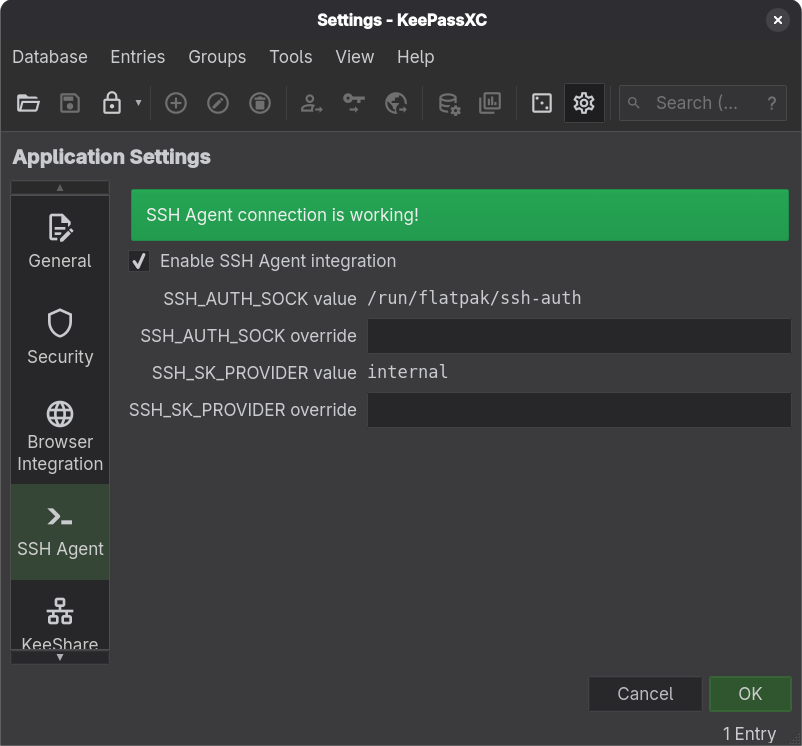
- Enable SSH Agent
- Import an ssh key.
- Entries -> New Entry
- Set the password to your ssh key's password
- Under the advanced tab, add your ssh private key file as an attachment
- Under the SSH Agent tab, select the private key attachment
- (optional) tick the box:
Add key to agent when database is opened / unlocked
- Check whether it works with
ssh-add -lin the terminal. Your key should appear there.
Your key is now embedded in your database!